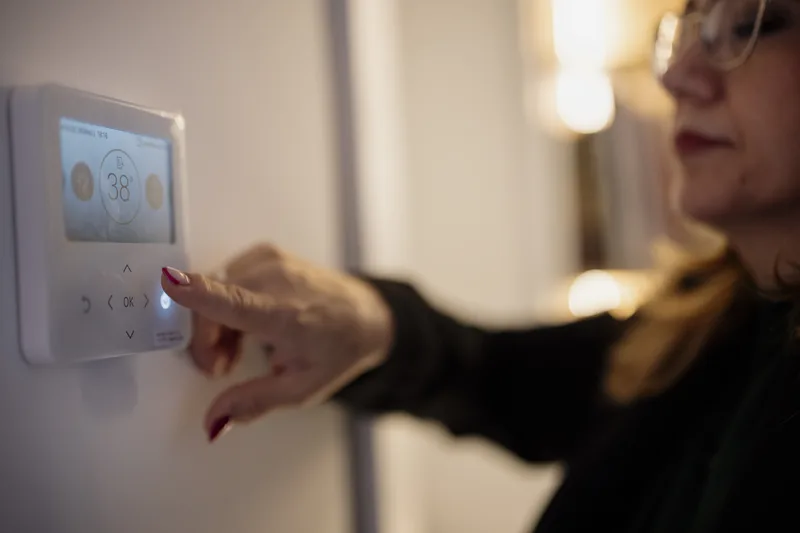
New Mexico summers push cooling bills to $300/month. Smart thermostats and PNM rebates can cut energy costs 20–30%, keeping your Albuquerque home comfortable.
July in Albuquerque means 100-degree afternoons, air conditioning running all day, and electric bills that can top $300 per month in a mid-sized home. Smart thermostats are one of the most practical home technology upgrades for New Mexico homeowners because they directly reduce the biggest line item on the utility bill without requiring a new HVAC system. A 150 to 250-dollar smart thermostat paired with proper scheduling and a PNM rebate can cut cooling costs by 20 to 30 percent in the first summer and pays for itself within a year.
Choosing the Right Smart Thermostat
Google Nest Learning Thermostat earns its popularity through genuine intelligence. It observes your temperature adjustments for the first week and builds a schedule automatically. It detects when no one is home using proximity sensing and switches to eco mode to stop cooling an empty house. Nest integrates with Google Home and Amazon Alexa, supports remote control from the app, and provides energy usage reports showing daily and monthly consumption patterns. The Nest Learning Thermostat costs approximately $200-250 and works with most standard HVAC systems including the heat pumps increasingly common in newer Albuquerque homes.
Ecobee Smart Premium Thermostat is the top competitor to Nest with two advantages that matter specifically in New Mexico: it includes a remote room sensor so the thermostat responds to actual temperature in occupied rooms rather than only at the thermostat location, and it has built-in Alexa for voice control without a separate smart speaker. Ecobee also supports Apple HomeKit, Google Home, and Samsung SmartThings simultaneously. The room sensor is particularly valuable for two-story homes where upstairs rooms run 10-15 degrees hotter in summer. Ecobee costs approximately $200-230.
Honeywell Home T9 and T10 Pro models offer excellent value in the $150-170 range and are widely compatible with traditional HVAC systems and newer heat pumps. The T9 also supports remote room sensors. For homeowners who want reliable performance without app complexity or automatic learning, the Honeywell interface is straightforward and widely available at local hardware stores, simplifying replacement if the device ever fails.
PNM Rebates
PNM offers a Smart Thermostat Rebate of $50-75 per thermostat when you enroll in the Rush Hour Rewards demand response program, which allows PNM to briefly raise your set point during grid stress events in exchange for bill credits. You retain the ability to opt out of any individual event. Check current availability at pnm.com/rebates before purchasing — rebate amounts change seasonally and enrollment windows are limited. Stacking the rebate against a smart thermostat purchase can bring the net cost below $150.
Installation and Scheduling
Most smart thermostats are a straightforward DIY installation for single-stage conventional HVAC systems. Turn off power to your HVAC at the breaker, photograph the existing thermostat wiring, remove the old thermostat, connect wires to the labeled terminals on the new baseplate, attach the display unit, restore power, and follow the setup app. The process takes 20-30 minutes for a standard installation. Compatibility issues arise with some heat pumps, multi-stage systems, and older millivolt heating systems — check compatibility using the manufacturer's online tool before purchasing.
Configure a schedule even if using a learning thermostat. Auto-learning works well over time, but manual scheduling delivers faster savings: cool to 78°F during occupied hours, allow the home to reach 80-82°F during peak afternoon hours when you are out, then pre-cool before you return in the early evening. In Albuquerque, overnight temperatures frequently drop to 70-75°F by midnight, allowing free cooling through open windows or a whole-house fan rather than air conditioning. Program your thermostat to pause cooling at midnight and restart at 7 or 8 AM before the next day heats up.
Smart Integration and Energy Monitoring
Integrate your smart thermostat with other home automation for additional savings. If you have smart blinds, close them automatically during peak sun hours (10 AM to 4 PM on south and west-facing windows) to reduce solar heat gain. Set geofencing in the thermostat app so the system switches to eco mode when everyone leaves and starts pre-cooling 30 minutes before the first person typically returns. These automations are available in Google Home, Amazon Alexa routines, and Apple HomeKit without requiring advanced technical skills.
Monitor your energy usage data after installation. Both Nest and Ecobee provide detailed reports showing daily runtime, temperature trends, and week-over-week comparisons. This data helps you refine your schedule and identify if your HVAC is running excessively — which may indicate duct leaks, undersized equipment, or poor insulation — before those problems appear on a utility bill. Some PNM customers can link smart thermostat data to their utility account for direct cost correlation reporting.
If you want help installing a smart thermostat, integrating it with your home automation setup, or troubleshooting HVAC compatibility in your Albuquerque home, HelpTek provides residential technology installation and home network support. We can also help with smart lighting, security cameras, and whole-home Wi-Fi as part of a broader home technology upgrade. Contact HelpTek for a consultation to get more comfort and lower energy bills this summer.


