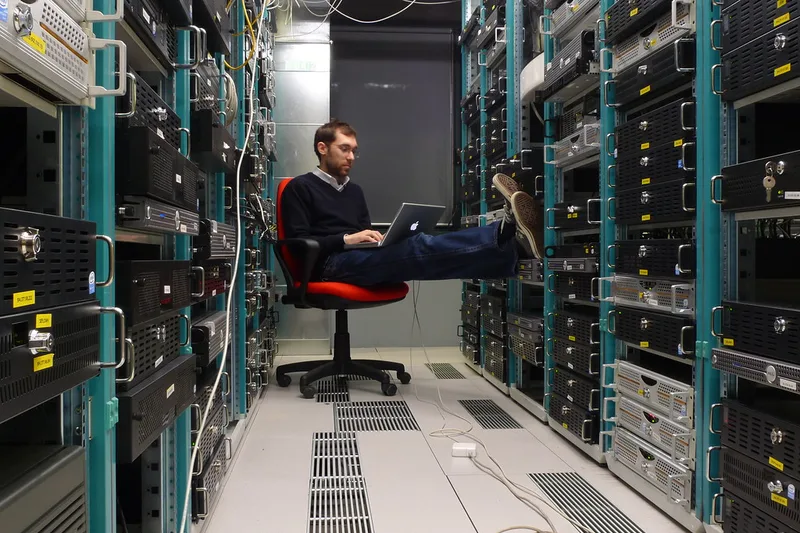
July heat is hard on hardware. This checklist covers server room cooling, backup audits, and the annual security tasks Albuquerque small teams forget.
Summer in Albuquerque is hard on technology. Ambient temperatures hit triple digits and air conditioning works overtime. For small businesses, July and August are when overheating hardware failures peak, backup systems get quietly skipped during the rush of summer vacations, and the annual IT tasks deferred in Q1 become urgent. A proactive summer IT maintenance pass takes less than half a day and prevents the kind of outages that happen when you can least afford them.
Server Room and Network Closet Cooling
Check server room and network closet temperatures before peak summer heat arrives. Target 64-77°F (18-25°C) with relative humidity between 40 and 60 percent. Place an inexpensive USB temperature and humidity sensor inside any enclosed rack or closet and check it weekly during peak summer. If temperatures are creeping above 80°F, troubleshoot before hardware fails: clean dust from all vents and fans, verify the room air conditioner is working and its filter is clean, confirm cold air is reaching the equipment, and check that the cooling unit has not been switched off overnight to save energy.
Clean accumulated dust from servers, switches, UPS units, and desktop PCs. Dust buildup insulates components, traps heat, and causes throttling and premature hardware failure. Use compressed air to clean intake vents, fan blades, and heat sinks. Power down desktops and workstations to clean safely. For servers and switches in production, check whether a brief maintenance window allows a clean power cycle. Cleaning takes five minutes per device and meaningfully extends hardware life in New Mexico's dusty environment.
Backup and Disaster Recovery Audit
Run a backup audit before the monsoon season peaks. Verify every backup job completed successfully over the past 30 days, confirm backup storage has sufficient capacity for the next 90 days, and perform at least one test restore of a critical file or folder to confirm the backup is actually usable. Many businesses discover backup jobs have been silently failing for weeks only when a restore is needed. Schedule a monthly calendar reminder so this check does not depend on memory.
Review your disaster recovery runbook and ensure contact lists are current. Staff changes over the year leave runbooks with the phone numbers of people who no longer work there. Update escalation contacts, verify the emergency IT contact is still reachable and has current credentials, and confirm that offline DR documentation — printed runbooks or encrypted USB drives with key credentials — is current and accessible. A DR plan with stale contact information fails at the worst possible moment.
Annual Security Review
Schedule an annual security review if you have not done one this calendar year. This does not require a formal penetration test — a structured self-assessment covers most of the risk surface for a small business. Review which staff have admin rights and remove access that is no longer needed. Audit Microsoft 365 or Google Workspace for users who left but were not fully offboarded. Check firewall rules for temporary access that was never removed. Verify MFA is enforced for all email and VPN accounts. These reviews find access control issues before an attacker or auditor does.
Pull a software and license inventory. Total up SaaS license costs, review who is actively using each product, and remove licenses for users who left or tools that were adopted and abandoned. Most businesses find 10-15 percent of SaaS spend is on inactive accounts. July is also a good time to check expiration dates on SSL certificates, domain registrations, and software maintenance contracts to avoid surprise lapses in Q3 or Q4.
Vendor and Contract Review
Review vendor contracts and support agreements. Confirm which hardware is still under warranty and which has gone end-of-life or no longer receives security updates. Hardware running unsupported firmware — routers, switches, NAS devices — is a security liability that should be on a replacement timeline. Note any hardware in the 3-5 year age range and include it in next year's budget so replacements are planned rather than emergency purchases.
Test your UPS (Uninterruptible Power Supply) units before the monsoon season peaks. New Mexico monsoon runs July through September and brings lightning, power surges, and brief outages that can corrupt drives and damage hardware. Test each UPS by briefly disconnecting it from utility power to confirm the battery holds and runtime estimates are still accurate. UPS batteries typically last 3-4 years. Replace batteries that are aging before a power event rather than after. Our monsoon power protection guide explains how to choose surge protectors and size UPS units.
Documentation and Offboarding Cleanup
Use the summer maintenance window to catch up on IT documentation. Document any changes made since last year: new applications deployed, network changes, new user accounts, changed firewall rules, and updated vendor contacts. Good documentation turns a two-hour troubleshooting session into a 15-minute fix and is especially important when IT support is shared between multiple people. For Albuquerque businesses working with HelpTek, we maintain living documentation of your environment so technicians always have current information.
If you want help conducting a structured summer IT health check, reviewing backup status, or auditing access controls and vendor contracts, HelpTek provides IT assessment services for Albuquerque and Santa Fe small businesses. Our managed IT clients receive proactive quarterly reviews as part of their monthly service agreement. Contact HelpTek to schedule a summer maintenance pass for your business.