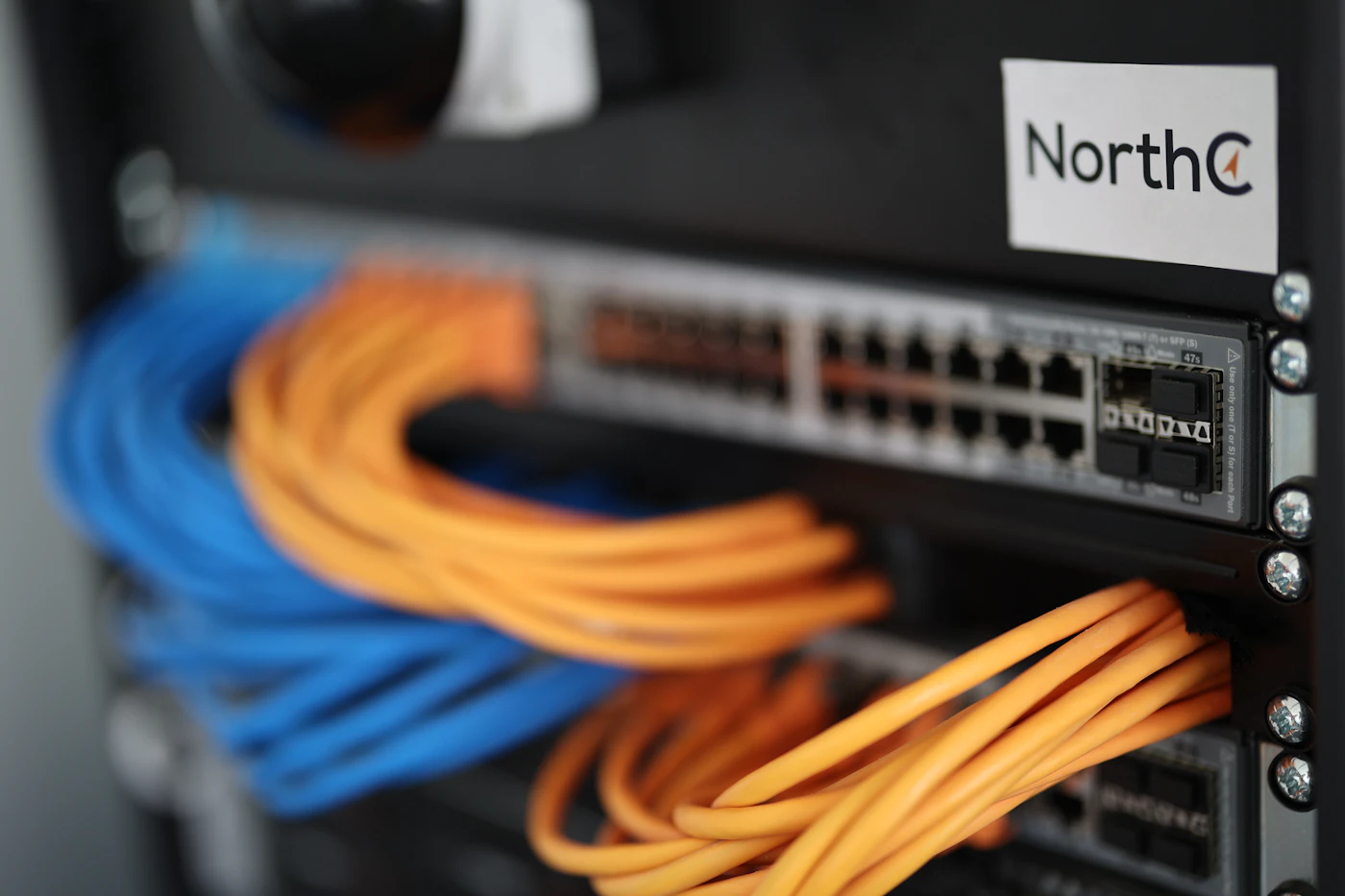
The quality of your physical network cabling determines the ceiling of your office network performance. Managed switches, enterprise Wi-Fi, and gigabit internet plans are all limited by the copper or fiber running inside your walls. For Albuquerque and Santa Fe businesses moving into new offices, building out additional space, or troubleshooting persistent network issues, structured cabling is the foundation worth getting right the first time.
Cabling Standards and Cable Categories
Cat6 versus Cat6A is the most common cabling decision for new office installations. Cat6 supports 10 Gbps up to 55 meters and 1 Gbps across its full 100-meter run. Cat6A (augmented) supports 10 Gbps across the full 100-meter distance and provides better crosstalk performance in dense cable environments. For most small office deployments, Cat6 is sufficient and costs less per drop. For data centers, IDF/MDF rooms with dense cable trays, and manufacturing environments with electrical interference, Cat6A is the better investment. When building out a new office in Albuquerque, Cat6A future-proofs the installation without dramatically increasing cost.
Single-mode fiber is the right choice for long runs between buildings or floors where copper distance limits apply. Fiber is immune to electrical interference, has essentially unlimited bandwidth headroom, and can span thousands of meters without signal degradation. For Albuquerque businesses with multiple buildings on a campus, fiber backbone between IDF closets is standard practice. The cost is higher per drop but the performance and reliability over 20+ year building lifecycles justify the investment.
Cable certification and testing is what separates professional structured cabling from DIY installs and should never be skipped. After installation, every cable run should be tested with a Fluke or similar cable tester to verify wire map, length, insertion loss, crosstalk, and return loss against TIA-568 standards. Certification reports provide documentation that cables meet spec and give you recourse if performance issues arise. Uncertified installs frequently hide intermittent faults that only appear under load.
Designing the Physical Infrastructure
IDF and MDF room planning. Every office network needs a telecommunications room or at least a wall-mounted rack where patch panels, switches, and routers terminate. In smaller offices, this might be a single wall rack in a utility closet. In larger offices, an IDF (Intermediate Distribution Frame) on each floor connects back to a central MDF (Main Distribution Frame). Proper rack placement keeps cable runs within the 90-meter maximum for horizontal cabling and provides space for structured cable management, power conditioning, and cooling.
Patch panel installation is how structured cabling connects to active network equipment. Each cable run terminates in a jack at the wall plate and at the patch panel in the IDF. A short patch cable connects the panel port to the switch. This modular design means adding a device, moving a port, or changing network configuration requires only a patch cable move rather than touching in-wall cabling. Properly labeled patch panels with consistent color coding reduce troubleshooting time significantly. HelpTek labels every port at both the wall outlet and panel with a matching identifier.
Power over Ethernet planning. Modern office devices including IP phones, wireless access points, security cameras, and door access controllers are commonly powered via PoE (Power over Ethernet). PoE requires compatible switches with sufficient power budgets. When designing your network, count PoE device needs per switch and select switches with adequate total PoE wattage. A 48-port switch with only 370 watts cannot support 48 PoE cameras simultaneously. Getting this calculation wrong results in under-powered devices and unexplained failures.
Wireless access point placement works alongside your cabling design. Enterprise Wi-Fi access points like Cisco Meraki, Ubiquiti UniFi, or Aruba require a wired backbone to each AP location. When planning cable drops, identify AP mounting locations based on coverage modeling first, then run dedicated Cat6 drops to each ceiling or wall mount point. Surface-mounted power outlets placed near AP mounts enable flexible repositioning if the coverage pattern needs adjustment. HelpTek performs wireless site surveys for Albuquerque offices to determine optimal AP placement before any cabling work begins.
Common Mistakes and What They Cost
Daisy-chaining switches without a proper backbone is the most common infrastructure mistake in small offices. Consumer switches daisy-chained together create bottlenecks and make troubleshooting difficult. The correct approach is a star topology where each area switch uplinks directly to a central core switch with adequate bandwidth. Even in small deployments, proper hierarchy improves performance, simplifies management, and makes expansion straightforward.
Skipping cable management. Unmanaged cable runs create maintenance nightmares, restrict airflow in racks, generate heat, and increase the probability of accidental disconnections during maintenance. Proper cable management using lacing bars, patch cord managers, Velcro ties, and color-coded cables is a professional standard that pays for itself in reduced troubleshooting time. When HelpTek designs a cabling installation, cable management is included from the start, not added as an afterthought.
Underestimating the number of drops per workspace. A standard office desk needs at minimum two data drops: one for the computer and one for an IP phone or spare port. Conference rooms typically need four or more drops plus an HDMI or display port for presentation equipment. Server rooms and IT closets need significantly more. Building for current use without a 20-30 percent expansion buffer means breaking walls again in 18 months. At HelpTek, we plan for your current headcount plus a realistic growth buffer so one installation serves the business for years.
Mixing cable categories in a single run degrades the entire segment to the lowest specification. All components in a channel, including the cable, keystones, patch panels, and patch cords, must meet the same standard. Installing Cat6A cable with Cat5e keystones and patch cords negates the Cat6A investment. Verify that all components in the channel are rated to the same standard and have the certifications to prove it.
Planning and Budgeting
Cost expectations for structured cabling projects. In Albuquerque and Santa Fe, commercial structured cabling typically costs 150-300 dollars per drop including materials, labor, and certification. A 20-drop office installation runs 3,000-6,000 dollars. Fiber backbone between floors or buildings adds 1,000-3,000 dollars depending on distance and fiber type. These are capital investments that depreciate over 15-20 years, making the per-year cost quite low compared to the operational value of a reliable network.
Working with your building. In New Mexico commercial properties, many buildings have existing conduit, cable trays, and telecommunications rooms from prior tenants. A walk-through before design finalizes often reveals infrastructure you can reuse or extend rather than build from scratch. HelpTek conducts a pre-project site survey of your space to identify existing infrastructure, code considerations, and the most cost-effective installation path for your specific building.
If you are building out a new office space, moving locations, or troubleshooting a network infrastructure issue in Albuquerque or Santa Fe, HelpTek provides structured cabling design, installation, certification, and documentation. We are licensed low-voltage contractors experienced with commercial and healthcare environments throughout New Mexico. Contact HelpTek for a cabling consultation and estimate tailored to your space.